
Open the public display
From the tournament organiser area, open the projector view. You can load the public link on the computer connected to your screen.
Keep players and spectators informed without showing your private organiser dashboard. DartPilot has a separate public display designed for a tournament venue.
DartPilot focuses on darts, connecting boards, QR scoring, groups and finals in one tournament workflow.
For UK darts nights and club events, agree on the playing format and match rules before the draw.
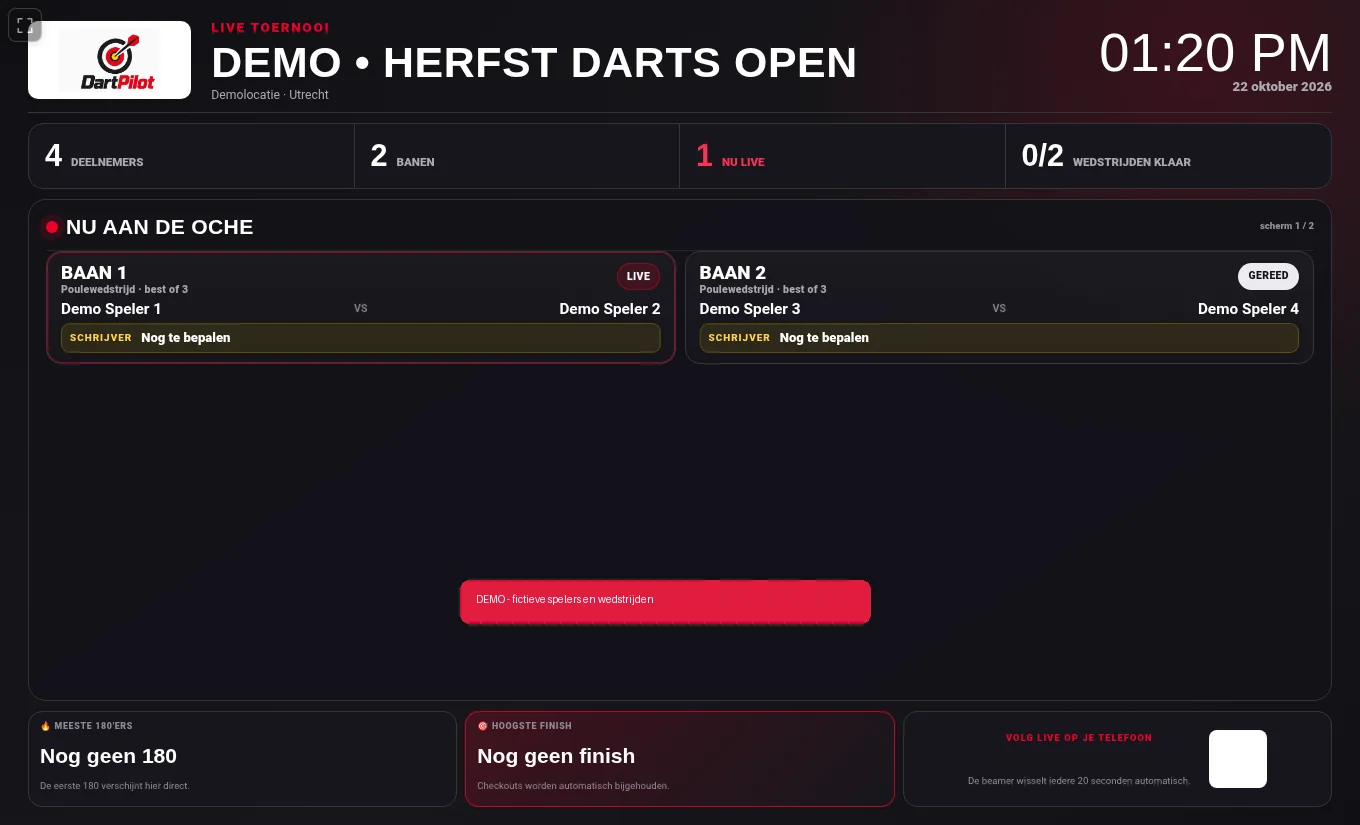
From the tournament organiser area, open the projector view. You can load the public link on the computer connected to your screen.
Set how long each screen appears in the organiser settings. The display adapts as the event moves from groups to knockout rounds.
On a desktop or laptop, click the small top-left full-screen icon to hide the browser bar. It is deliberately not shown on phones.
No. Use the separate public live page rather than sharing the private dashboard.
Yes. Organisers can set the screen rotation interval for their tournament.
On desktops and laptops, use the top-left full-screen control. The control is not offered on phones.
Read our guide to live darts results and setting up a venue display.
Create a free organiser account and check the current tournament options and pricing before setting up your event.